Dictate into any application without audio leaving your computer
Trype is BIST Consulting's dictation software for Windows, macOS and Linux. At a keyboard shortcut, Trype records, recognises speech with a model on your computer and writes the text wherever the cursor is.
Speak instead of typing
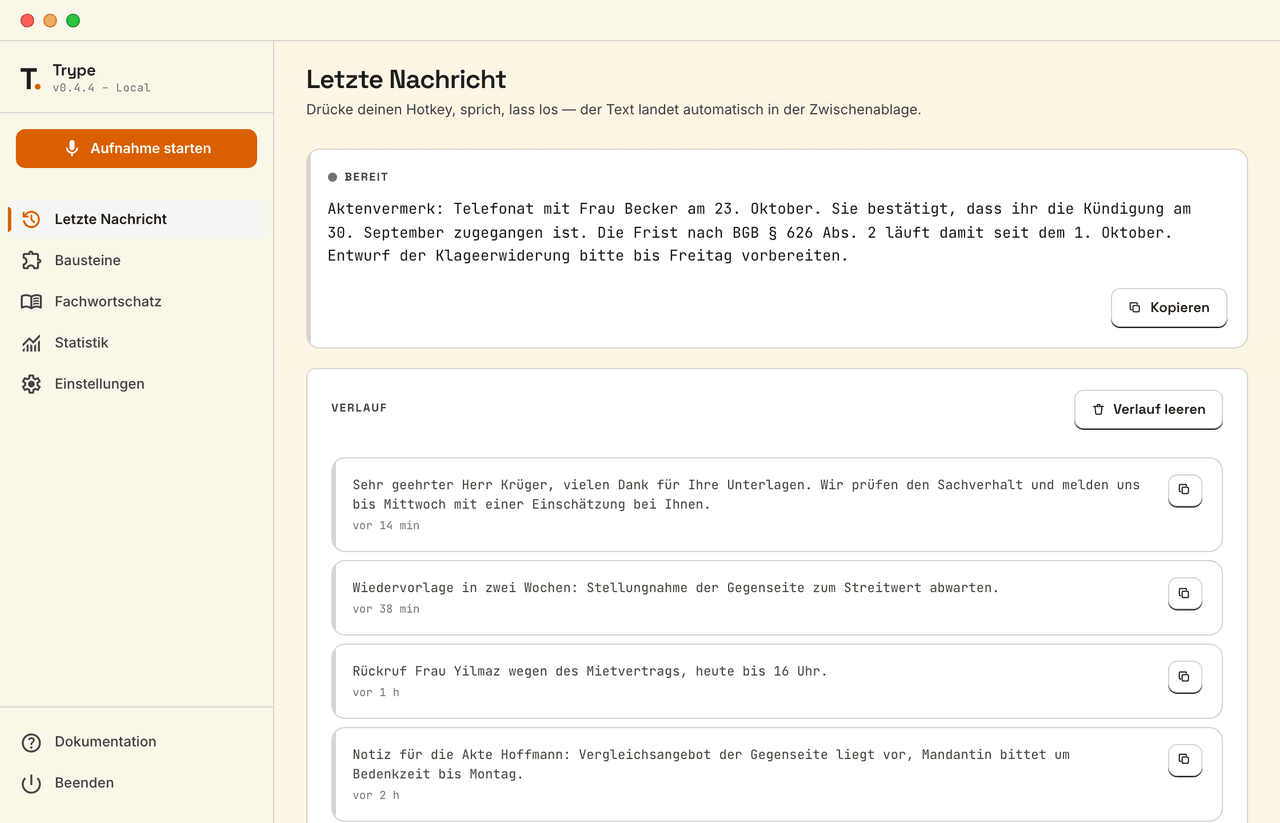
Trype runs in the background and writes into whichever application is open: Word, Outlook, practice software or the browser. Trype's interface is in German.
Hold a key, speak, let go.
At a keyboard shortcut, Trype records the microphone. When you let go, the text is on the clipboard or pasted straight in.
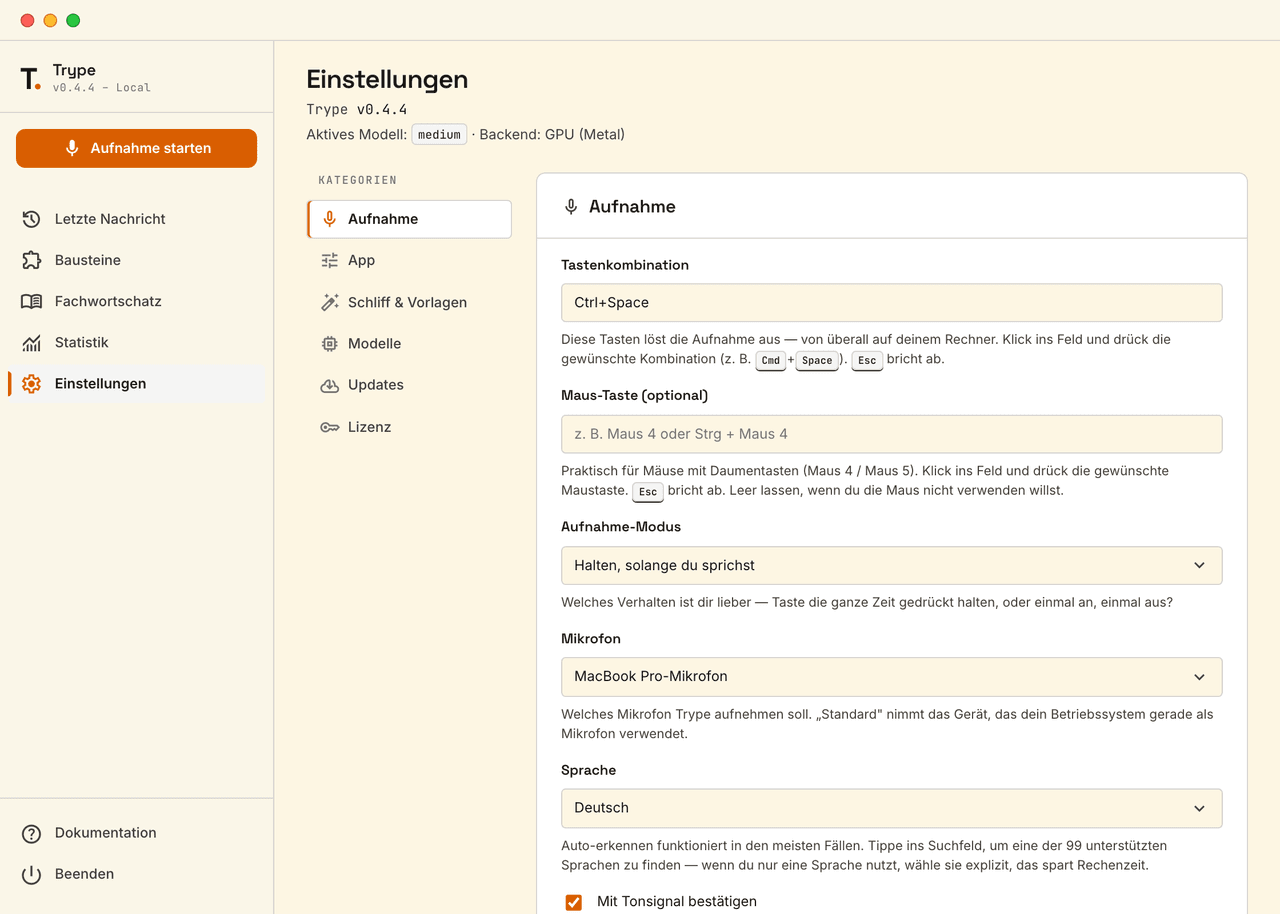
- Any keyboard shortcut, or a mouse button if you like
- Hold to speak, or press once to start and again to stop
- Choice of microphone, 99 languages, detected automatically or set
- Text on the clipboard or pasted into the active window
Technical terms spelt correctly.
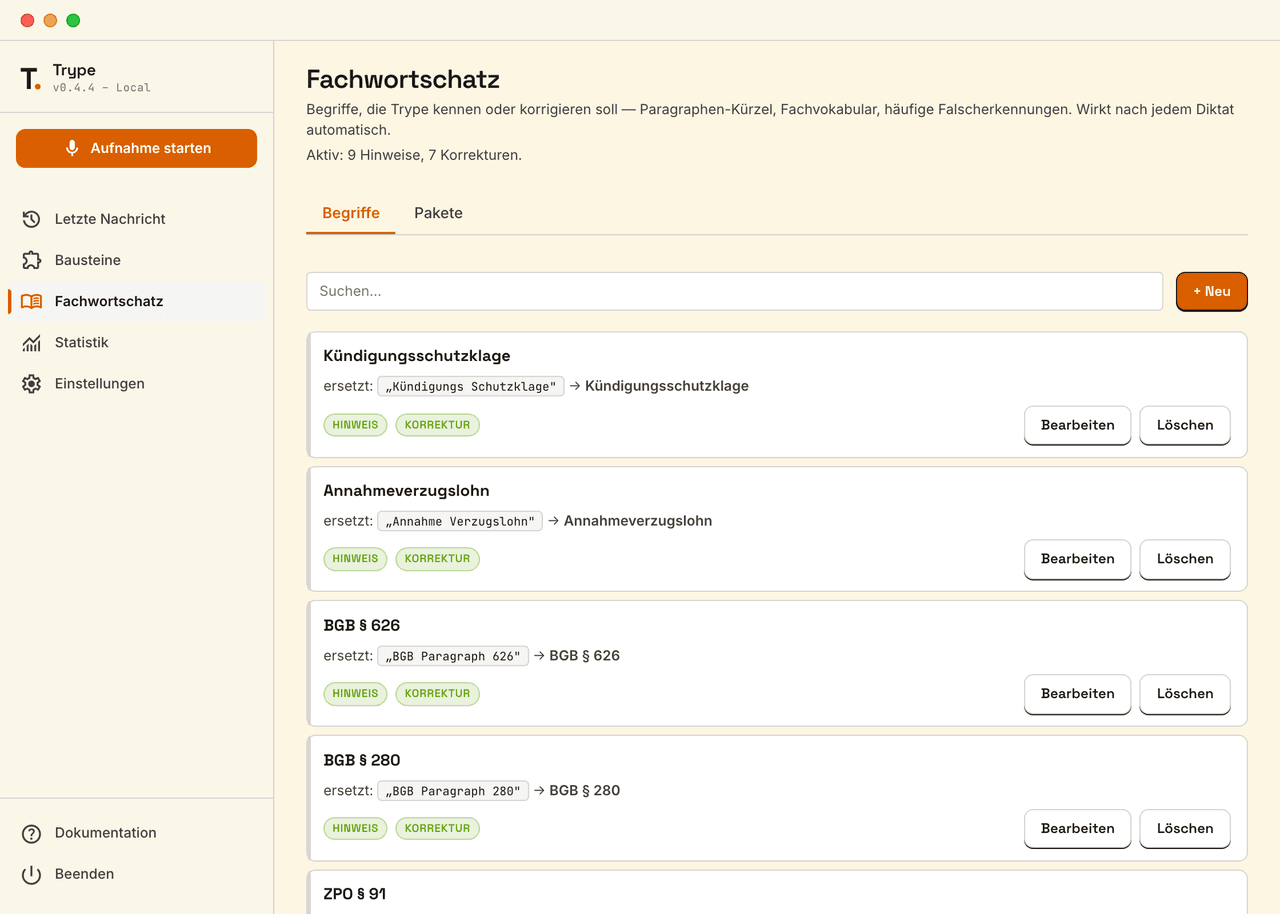
The terminology list holds terms Trype should know or correct, such as statute references or drug names. It applies after every dictation.
- Your own terms as a hint for recognition
- Corrections of common mistakes, such as “BGB Paragraph 626” to “BGB § 626”
- Packages for law firms, medical practices and tax advisers, active in one click
- A test field to try a correction before dictating
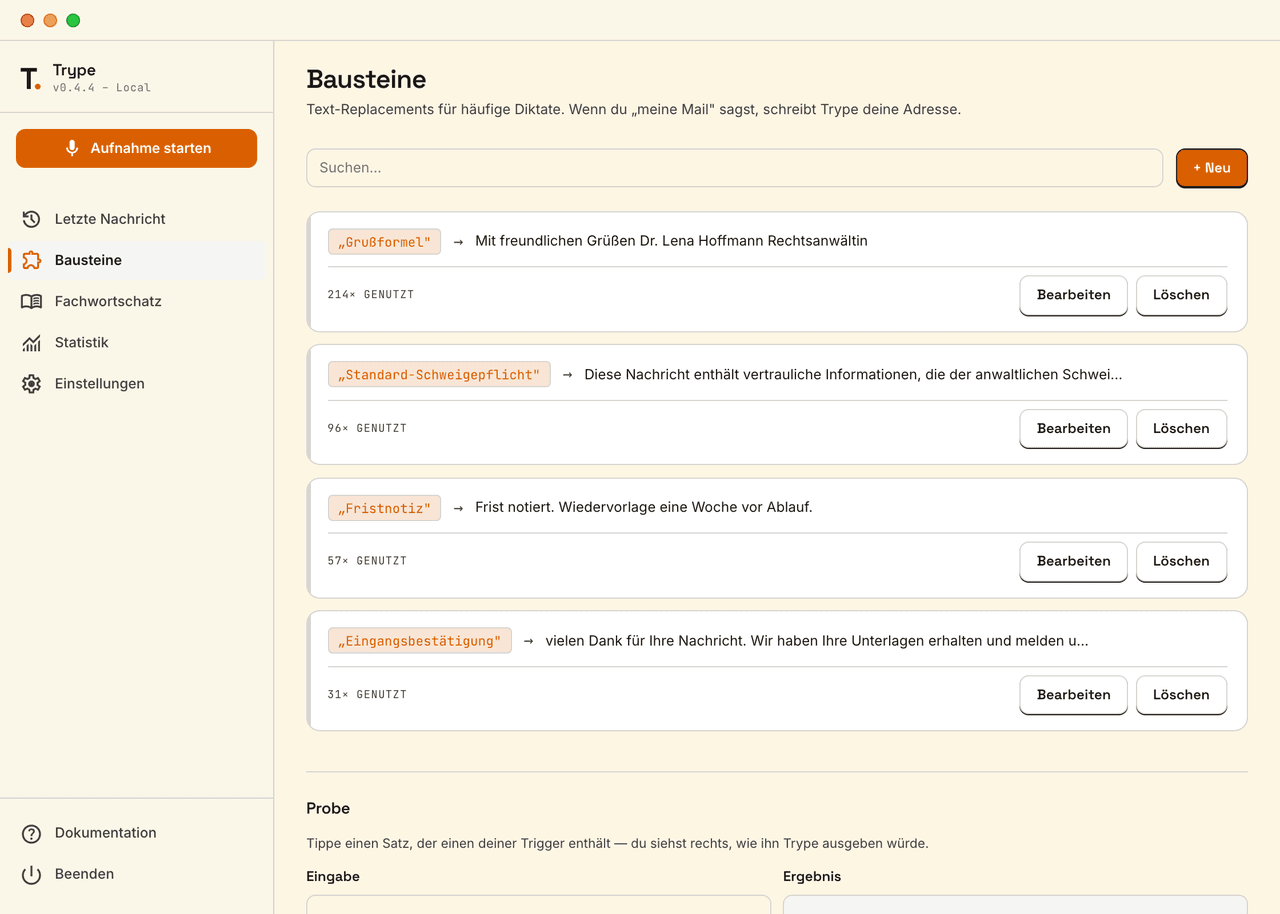
Recurring text with a single word.
A snippet replaces a spoken keyword with stored text, such as a closing, a confidentiality notice or your email address.
- Any keyword and text, over several lines too
- Frequently used snippets on top, with a counter
- A test field shows the result before dictating
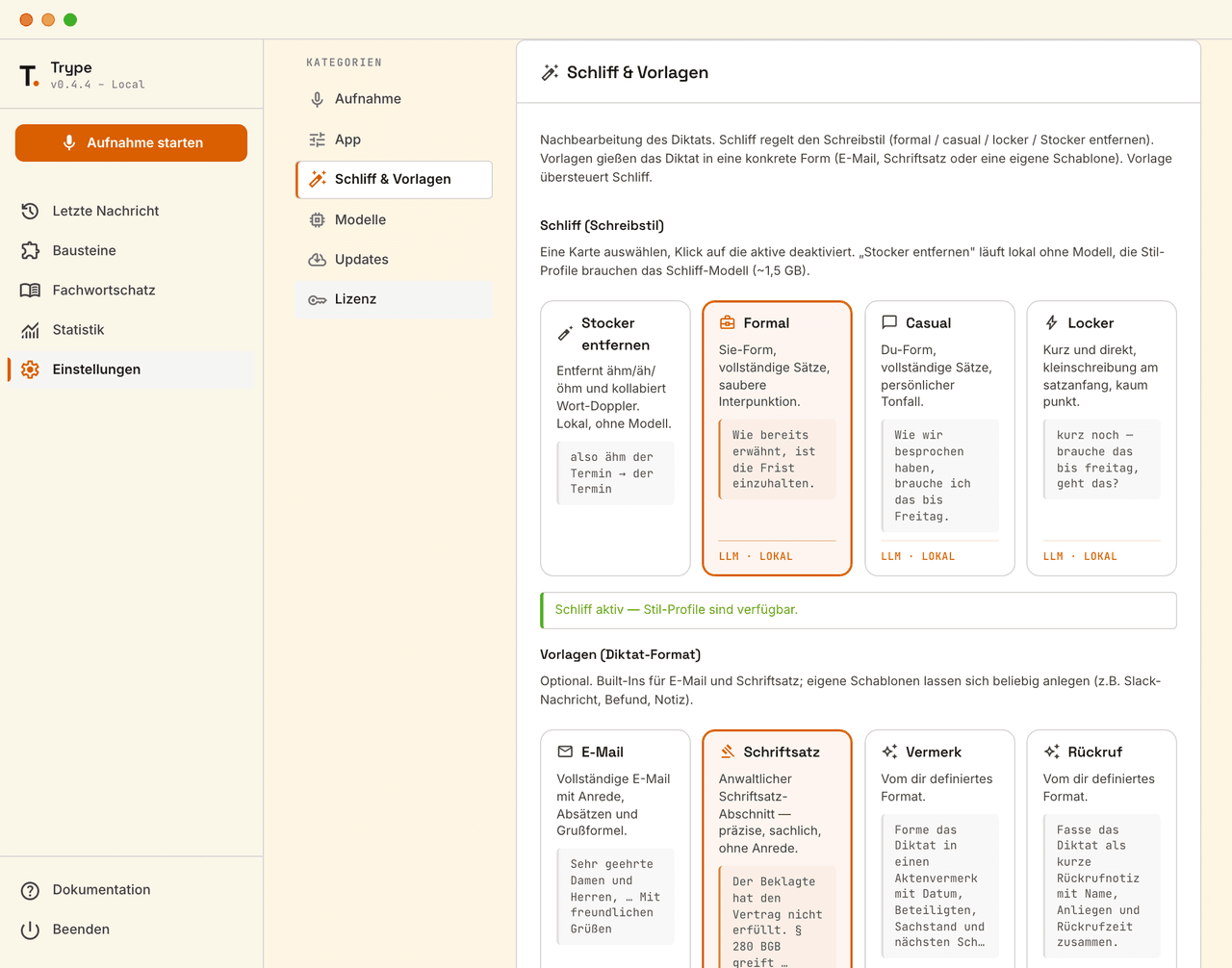
Writing style and format, adjusted locally.
If you wish, a local language model revises the dictation. It writes formally or casually and puts the text into a template such as an email or a brief.
- Filler words such as “ähm” removed, without a language model
- A formal, personal or casual style
- Templates for email and briefs, plus your own such as a file note
- The language model runs locally and needs about 1.5 GB
What sets Trype apart
Privacy by design
Audio and text do not leave the computer: Trype recognises speech locally and sends none of it to a server.
- No data processing agreement under Art. 28 GDPR needed for dictating
- Internet only for the licence check, no usage data
- For professions bound by confidentiality, such as lawyers, doctors and tax advisers
Dictate into any application
Trype writes wherever the cursor is, whether in Word, Outlook, practice software, a web app or the terminal.
- One shortcut for every application
- A mouse thumb button if you prefer
- Auto-paste inserts the text directly, otherwise it is on the clipboard
One app for Windows, macOS and Linux
Trype works and is licensed the same way on all three systems.
- Windows 10 and 11
- macOS 11 or later, Apple silicon and Intel
- Linux as an AppImage
99 languages, detected automatically
Trype detects the language itself. If you only use one, set it and save computing time.
- German and English preset
- A search field for every other language
Runs on older computers too
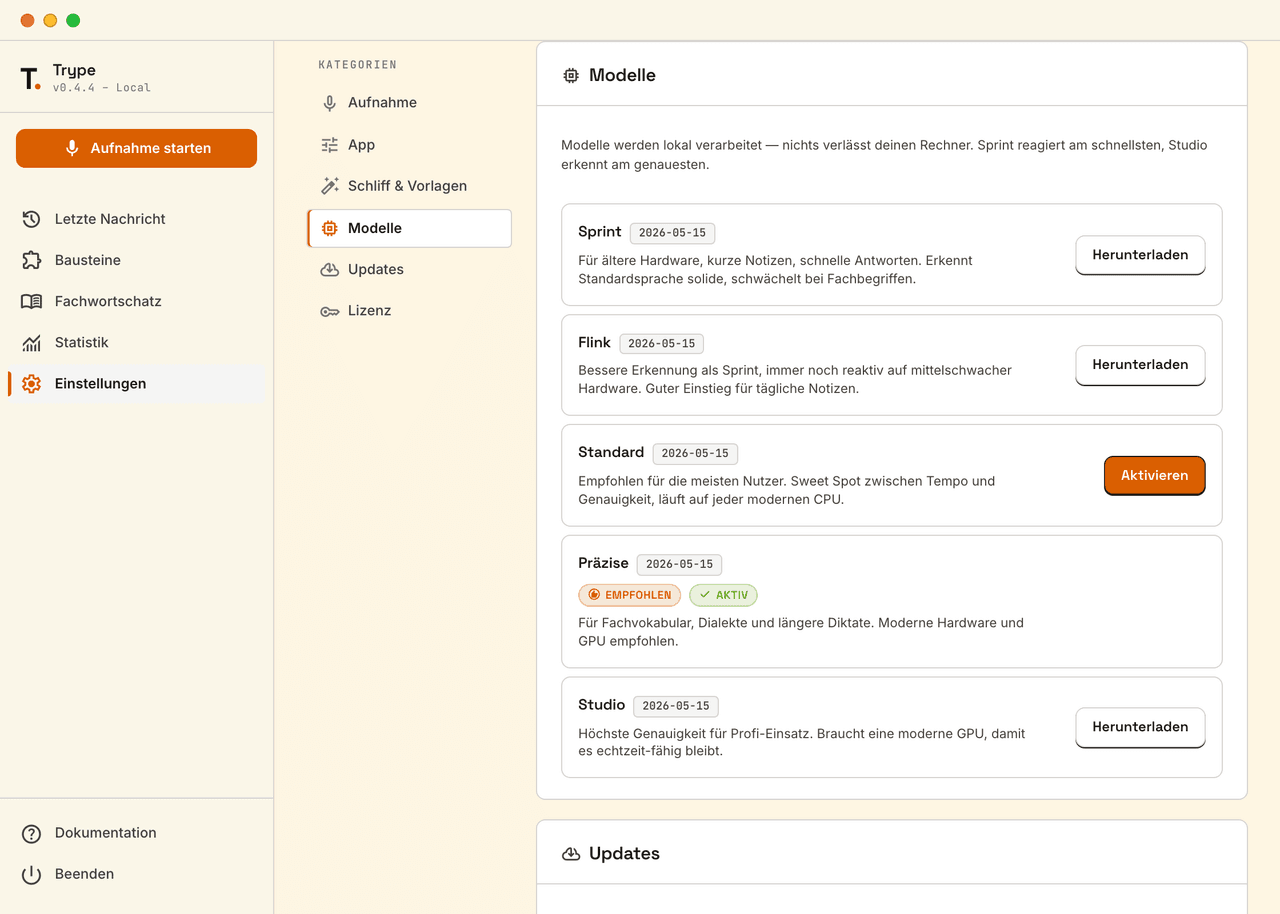
Trype offers five model tiers, from Sprint at 74 MB for older computers to Studio at almost 3 GB for the highest accuracy.
- A recommendation to suit the hardware
- Faster on the graphics card, otherwise on the processor
- Switch at any time in the settings
No account, up to seven days offline
Trype needs no account, only a licence key. It checks the licence at start-up and keeps working without a connection for up to seven days.
- One licence per device, movable to another
- Updates in one click in the app
Set up in five steps
On first start, Trype guides you through set-up in five steps.
- Check the microphone and choose a model
- Set the shortcut and try it once
- Turn auto-paste on or off
History and statistics on the computer only
Trype keeps the last ten dictations in memory only, and a restart clears them. The statistics on words, dictations and pace stay on the computer.
- Copy any dictation again in one click
- History with no file on disk and no synchronisation
- Statistics over 7 days, 30 days, the current year or all time, deletable at any time
From key press to text, without the internet
Trype records, recognises speech with a model on your computer, applies snippets and terminology and inserts the text. Trype only goes online at start-up to check the licence. Without a connection it keeps working for up to seven days.
- recordings or texts that leave the computer
- 0
- model tiers, from 74 MB to almost 3 GB
- 5
- languages, detected automatically
- 99
Price
Price on request
The price depends on how you use the product. In an intro call we clarify your goals and how you intend to use it.
Book an intro callOur service areas
- AI solutionsLocal language models, AI assistants and consulting
- Social roboticsChoosing, introducing and programming social robots
- Process consultingProcesses in BPMN 2.0, with an eye on AI and automation
- Software developmentCustom web applications, apps, websites and interfaces
- Web shopsShops on Shopify and WooCommerce, built and maintained
See Trype with your own terminology
In an intro call we show Trype and work out which terms, snippets and licences your team needs.
Book an intro call